Educator app

Today's class, from the phone.

The educator home opens on classes, students, lessons, and pending tasks. Attendance, assignments, lesson plans, and the staff ID are the next tap.

  • ✓Take attendance
  • ✓Publish a lesson plan
  • ✓Staff ID and QR
Educator home
Home

18

Tools on the quick-action list

Plans

All plans and my plans

Live

A class from the same app

SOS

Beside the staff tools

Inside the educator app

The overview, then the work

A teacher sees the day first. The plan, the register, the homework, and the notice board open from that same home.

01

Today's overview

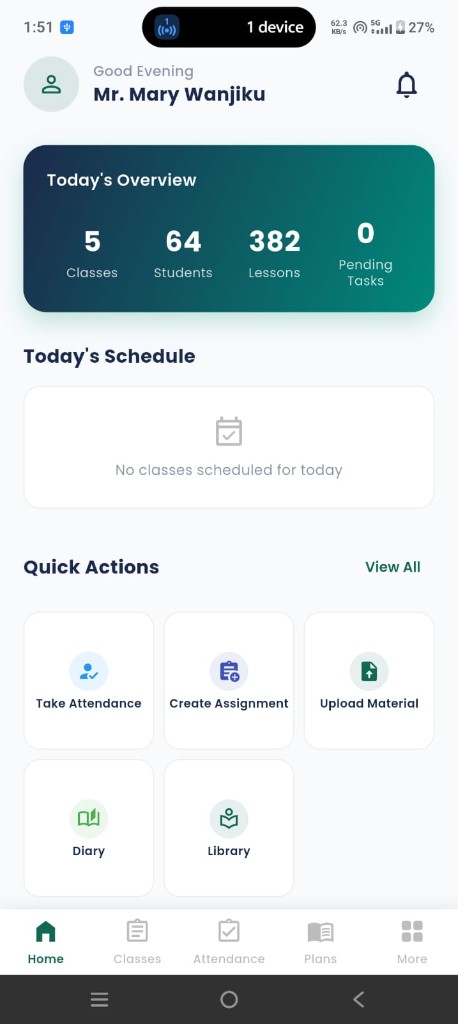
Classes, students, lessons, and pending tasks sit on one card. Under it, today's schedule — or a clear note when the room is empty.

  • ✓Counts for classes, students, lessons, and pending tasks
  • ✓Today's schedule under the overview
  • ✓Take attendance, create an assignment, upload material
  • ✓Diary and library on the home grid
Today's overview
Home
02

Eighteen tools, one list

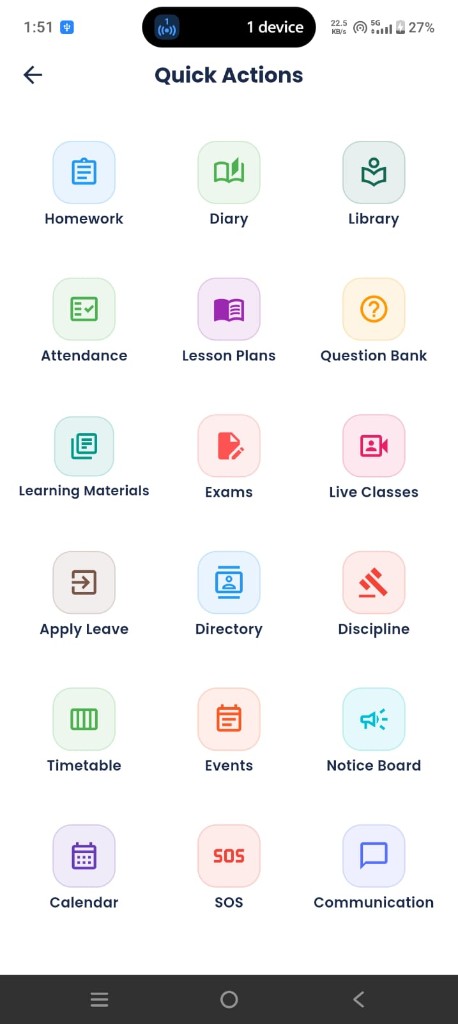
Quick Actions is the staff desk. Homework, exams, live classes, and the notice board are all on it.

  • ✓Homework, diary, library, and attendance
  • ✓Lesson plans, question bank, and learning materials
  • ✓Exams, live classes, and the timetable
  • ✓Directory, discipline, events, calendar, and SOS
  • ✓Leave and communication with families
Educator quick actions
Quick actions
03

Lesson plans the class can reopen

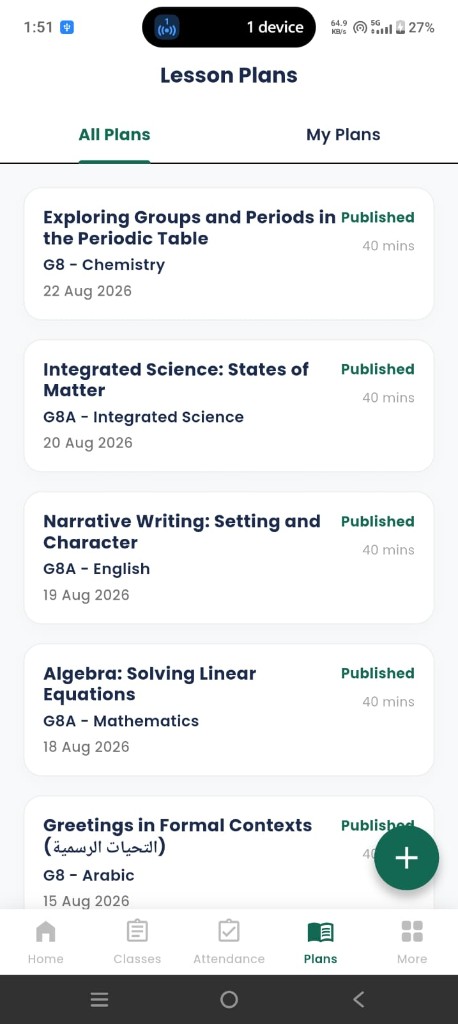
All Plans and My Plans. A published plan shows the class, the subject, the date, and the minutes.

  • ✓Published plans stay on the list
  • ✓Class, subject, and duration on every card
  • ✓A new plan from the add button
  • ✓The learner sees the same published plan
Lesson plans
Lesson plans
04

The staff ID

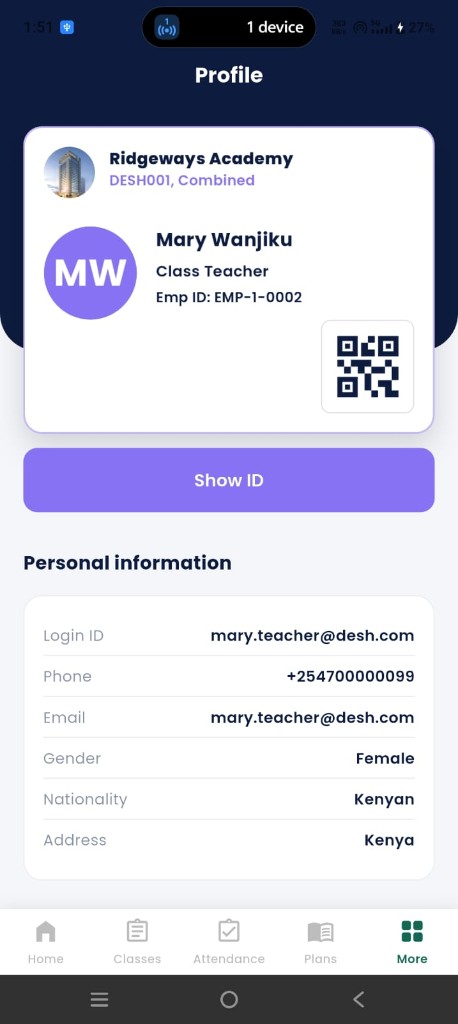
Profile carries the school, the role, the employee ID, and a QR — the same pattern as the learner card.

  • ✓School name on the card
  • ✓Role and employee ID
  • ✓Show ID for the full card
  • ✓Login, phone, and the rest of the personal details
Educator profile
Profile
05

Marks, live class, and the register

After the plan, the teacher marks the room, opens a live class, and records competency scores on the CBE rubrics.

  • ✓Present, absent, and who is already marked
  • ✓A live class from the phone
  • ✓Exam papers, marks entry, and class analysis
  • ✓Question bank, including a bulk upload
  • ✓Student directory and a discipline note when it is needed

05

Marks, live class, and the register